
You've got a well name, a legal land description and a load that has to be on location by noon. You pull it up on the map and there's nothing there. No pad. No road. Just trees.
The well is real. It was spudded last month. The map just hasn't caught up.
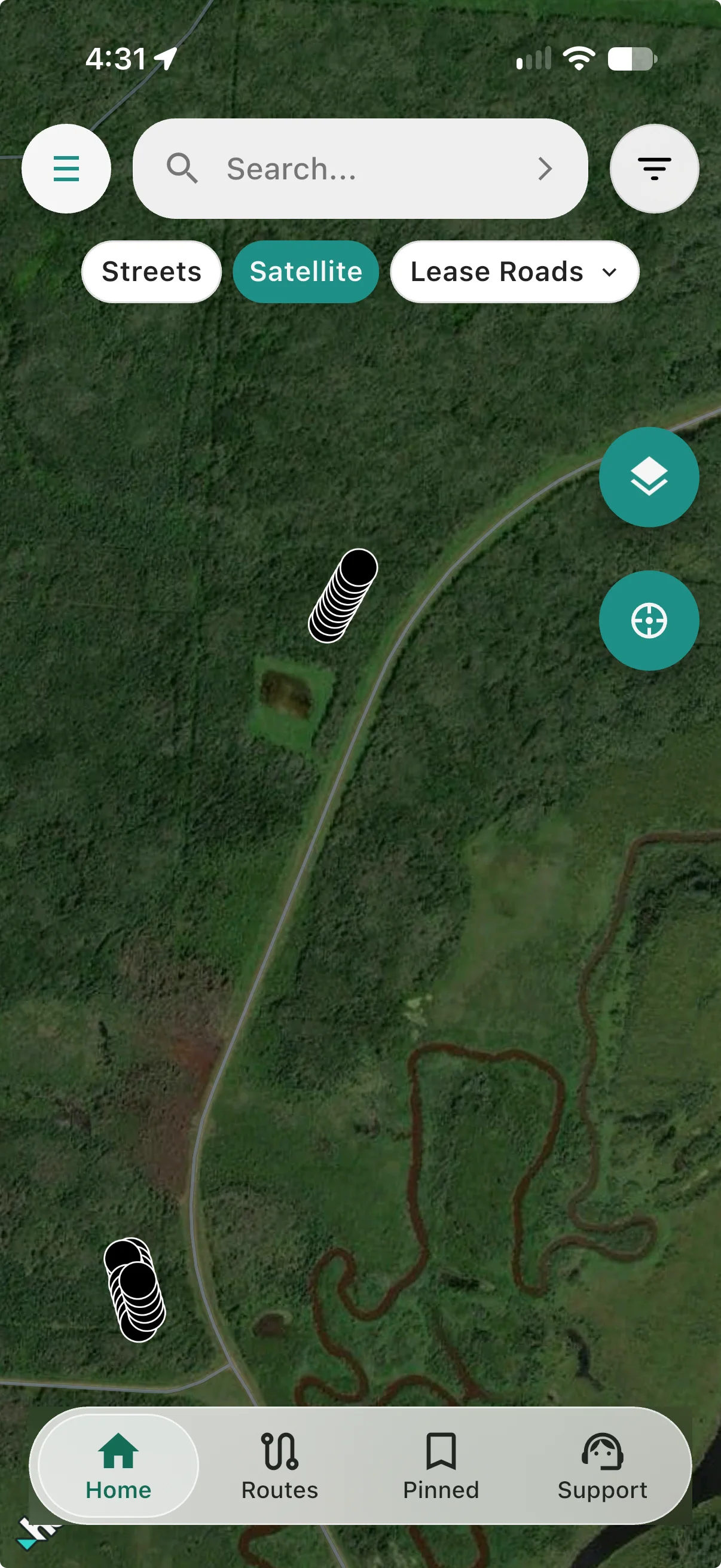
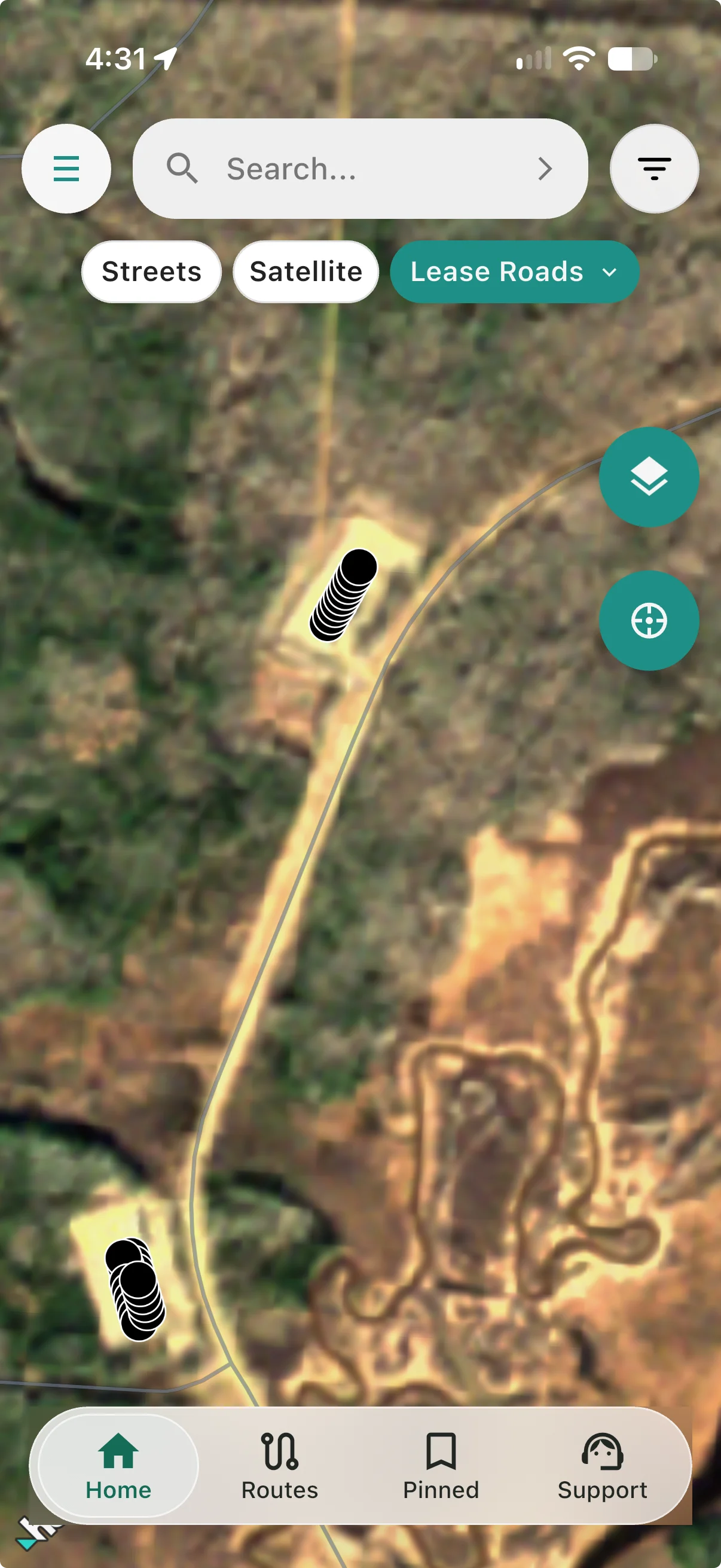
Today we're introducing Lease Roads, a new satellite layer in Oilfield Route built for exactly that moment. Lease Roads shows imagery refreshed as often as weekly, and in some areas daily, so the pad that was cleared last week and the dirt road cut to reach it show up on your screen.
Same spot. Different week.
Satellite selected
Lease Roads selected
Why your map shows trees where the pad is
The commercial satellite imagery most map apps rely on is refreshed when it suits city users. In towns, that's often. In the patch, it can be years between updates.
Oil and gas moves faster than that. A new location can go from bush to built pad, with a fresh lease road, in a matter of weeks. Old imagery means drivers and crews end up:
- Guessing which unmarked turnoff is the right one
- Backtracking down roads that dead-end before the pad
- Calling the consultant or the office for directions, again
- Burning time and fuel when there's a schedule to keep
What Lease Roads shows you
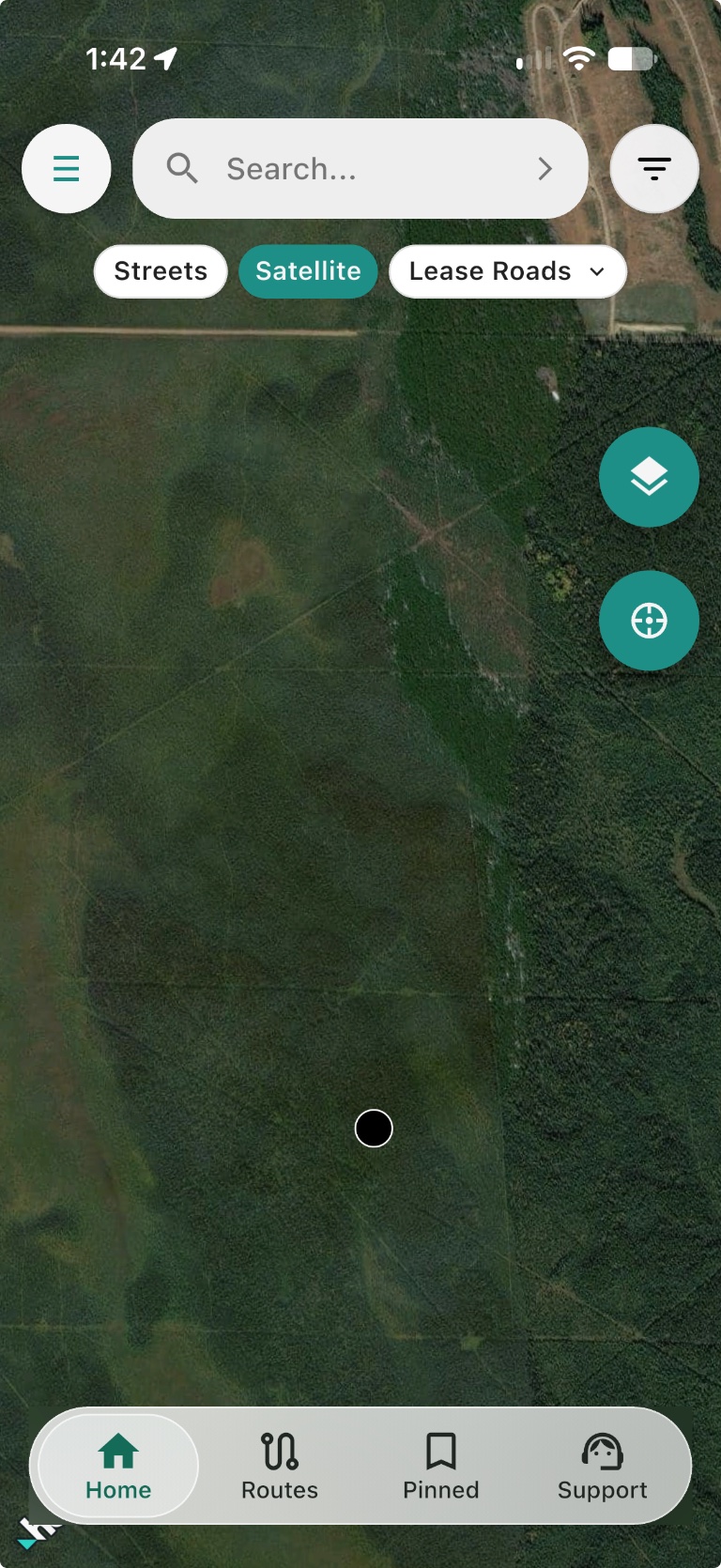
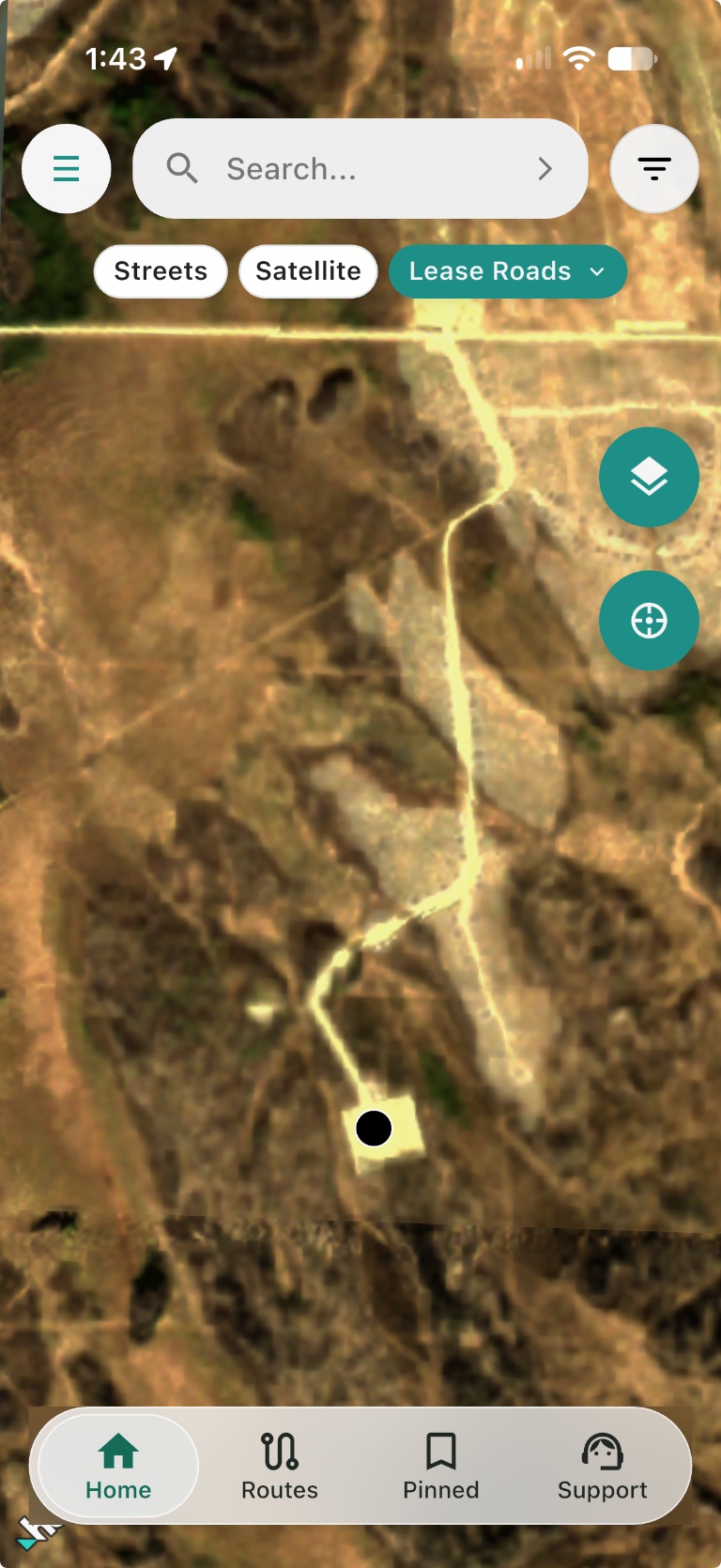
Lease Roads swaps in recent satellite imagery so you can see roads and cleared pads that may not appear in the familiar Satellite layer. Select the layer that gives you the clearest view of the location.
Satellite
Lease Roads
Built for winter, too
Fresh imagery has a catch in snow country: once the snow falls, the newest picture is a white field and the roads disappear under it.
Satellite
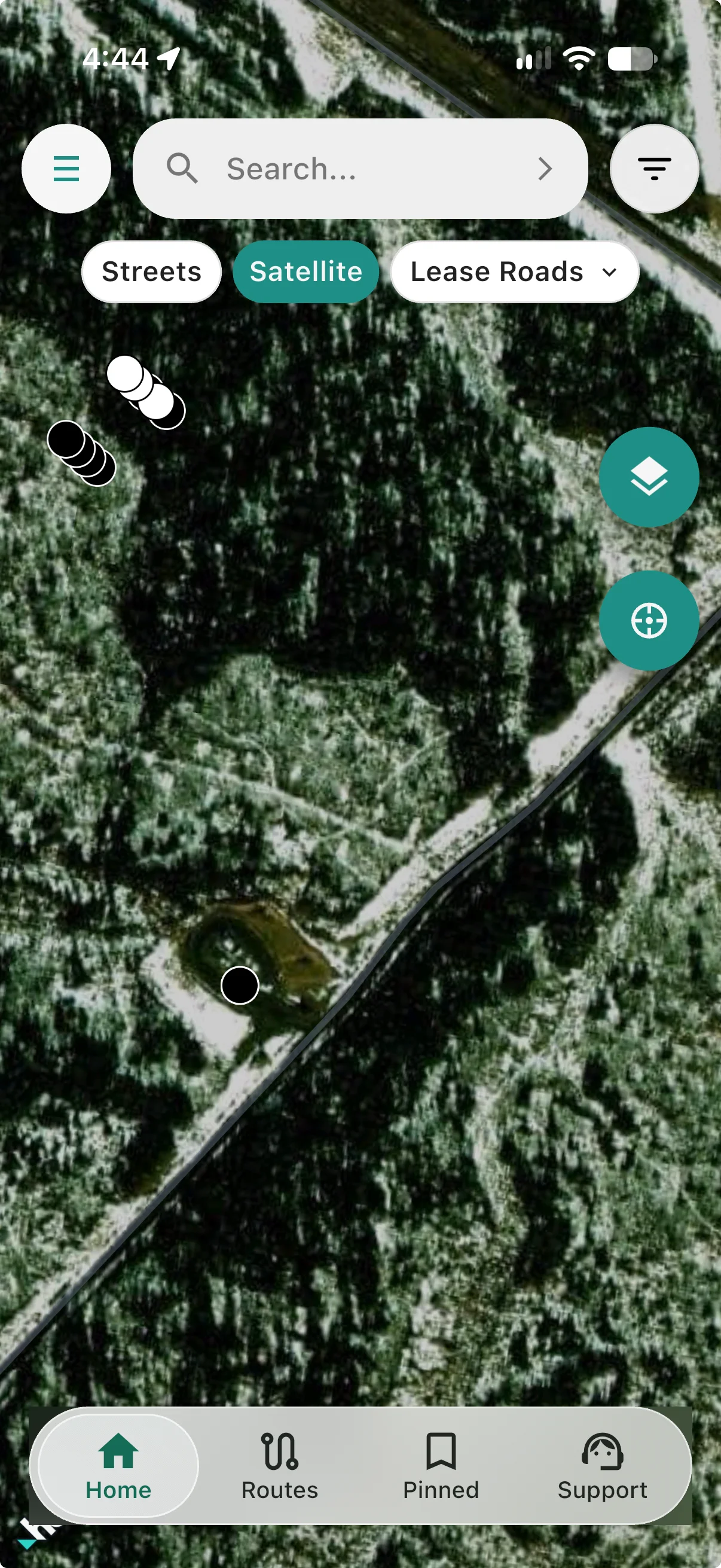
Lease Roads — snow-covered
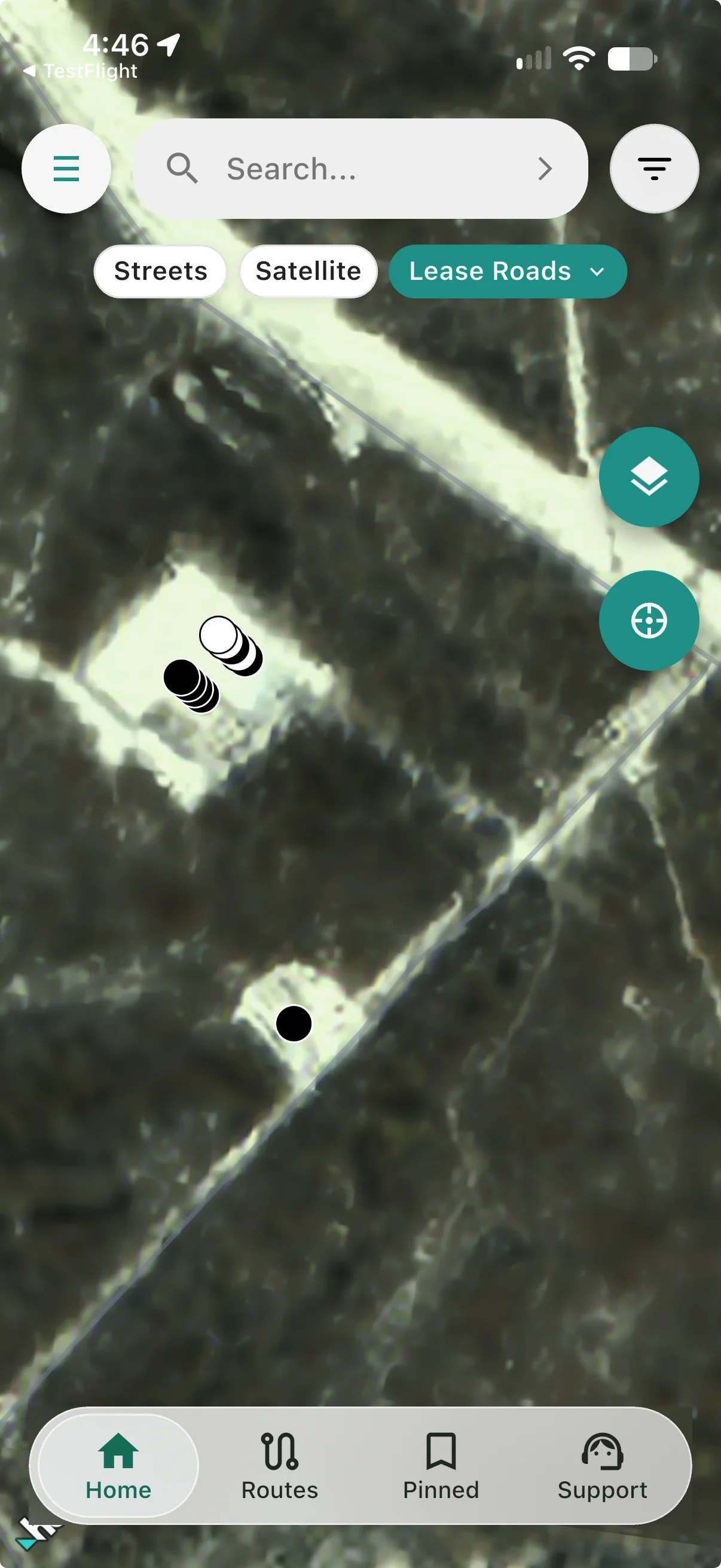
So in regions that get snow, Lease Roads lets you choose between two images:
- The most recent image, snow and all, for the current state of the ground
- The latest clear image taken before the snowfall, so you can still see the road layout, the pad edges and the turnoffs
Switch between them in a tap and use whichever tells you more.
Who it's for
Lease Roads is for anyone who has to find a location that's newer than the map: truck drivers and hotshots hauling to new pads, rig movers, frac and completions crews, service techs, surveyors and landmen. If you've ever driven past a turnoff because it wasn't on the map, this layer is for you.
Get Lease Roads
Lease Roads is available now and included with both Oilfield Route Essentials and Pro subscriptions. Update the app on the App Store or Google Play, tap Lease Roads at the top of the map.
Got a location where the imagery helped, or one where it didn't? Tell us through in-app support. We build Oilfield Route for the people who use it in the field, and your feedback decides where we go next.
Try Lease Roads in Oilfield Route
Tap Lease Roads at the top of the map.